
Most plumbing shops don’t lose jobs because they can’t solder. They lose them because the customer history lives in a tech’s phone, the CSR is hunting for an old invoice, and follow-ups die in a group text. A CRM built for the trades — and Housecall Pro’s customer tools sit at the center of that stack — is how you stop running the business out of memory.
One customer profile instead of five places
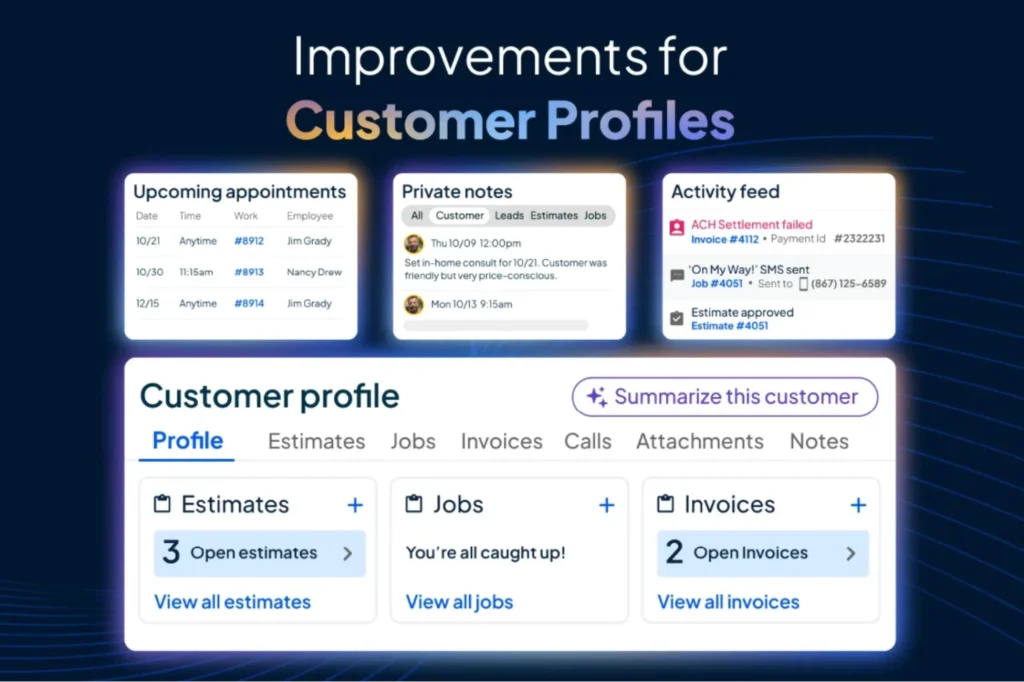
In Housecall Pro, a customer profile is meant to hold the full relationship: contact details, service history, estimates, jobs, invoices, notes, attachments, and an activity feed of messages and work. CSRs and owners can see upcoming appointments and outstanding balances without flipping between apps.
That matters on a Monday morning when a homeowner calls about “the water heater you guys put in a few years ago” and you need the model, the warranty note, and the last invoice in one screen.
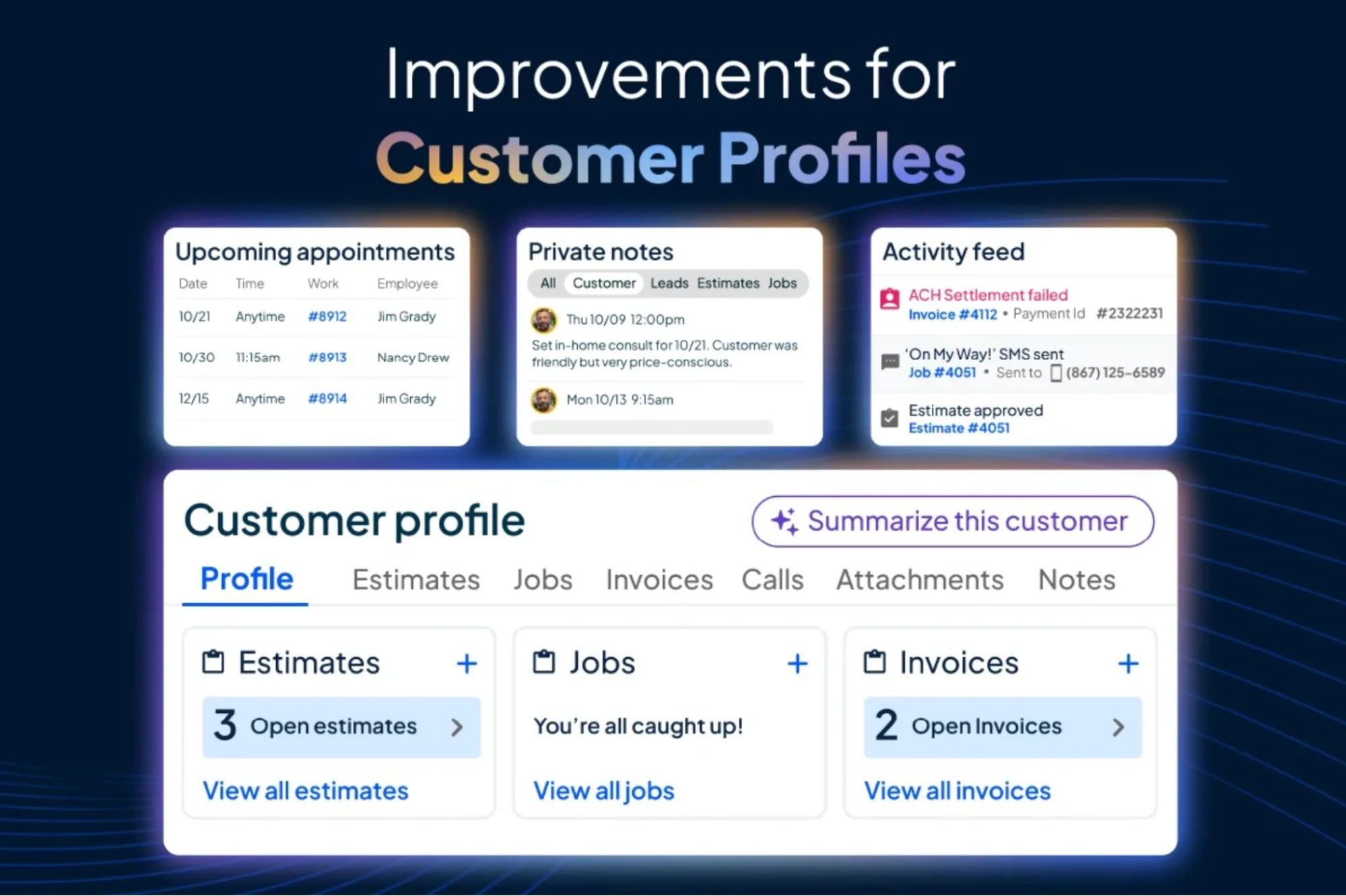
Official Housecall Pro screenshot: customer profile with appointments, balance, and activity feed.
Housecall Pro also adds AI-assisted profile summaries (“Tell me more”) so a CSR can get conversation-ready context fast — upcoming jobs, balances, history, and suggested next steps — instead of reading a wall of notes under pressure.
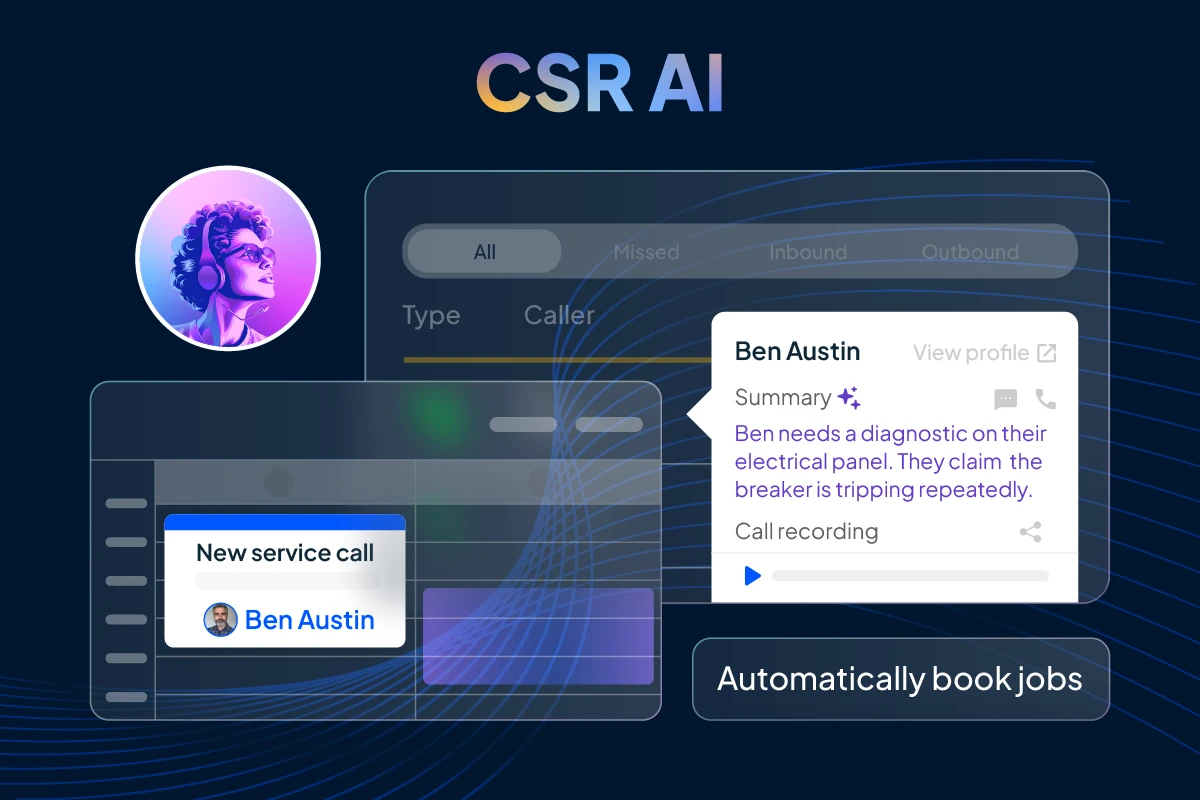
Official Housecall Pro screenshot: CSR AI “Tell me more” customer context.
From first call to paid invoice
For plumbers, CRM only works if it connects to the job. Housecall Pro’s plumbing-focused product ties customer records to scheduling and dispatch, online booking, estimates, and invoicing. Homeowners can book around the clock; your team can prioritize emergencies, route the closest tech, and keep customers updated. On the money side, estimates and invoices stay attached to the same customer, which cuts the “can you resend that?” loop that burns office time.

Official Housecall Pro screenshot: job management connected to the customer record.
The Customer Portal goes further: customers can view appointments, pay invoices, review and approve estimates, and message about reschedules — without your office becoming a switchboard. If you run cards on file or referrals, those can live in the same portal experience so the customer relationship stays self-serve where it should.

Official Housecall Pro screenshot: Customer Portal for booking, payments, and estimates.
Follow-up that actually happens
Plumbing revenue is as much about the next job as the current one. Housecall Pro’s customer management tools support automated follow-ups for rebooks, review requests, and thank-yous, plus reminders for upcoming appointments. Tasks can be created on the customer profile and linked to that account, so “call back about the slab leak estimate” doesn’t vanish when the shift ends.

Official Housecall Pro screenshot: “On My Way” and customer messaging from the job flow.
For shops selling maintenance or membership-style work, Housecall Pro’s Plumbing Package can include membership selling on jobs and estimates, price-book commissions for techs, and KPI dashboards aimed at plumbing (revenue, jobs, team performance, memberships). Those aren’t vanity charts — they’re how you see whether the CRM is turning history into repeat work.
What “good CRM use” looks like in a plumbing shop
You don’t need every feature on day one. A practical rollout looks like this:
- Clean customer records — one profile per household, real phone and email, service address right.
- Every job attached to a customer — no orphan invoices or “cash job” ghosts.
- Notes that the next tech can use — shutoff locations, pet warnings, prior diagnostics.
- Follow-up rules — estimate nudges, post-job reviews, seasonal water-heater or drain reminders.
- Portal or online booking on — so after-hours demand doesn’t only hit your personal cell.
CRM isn’t your whole growth system
Housecall Pro is strong as an operations and customer system for plumbing Pros: profiles, jobs, money, and follow-up in one place. It does not replace a clear website that wins the first click, proof that builds trust before the book button, or after-hours answering when the CRM alerts are only as good as someone picking up.
If you already run Housecall Pro, treat the CRM as the system of record for customers and jobs — and make sure your public site, booking path, and phone coverage feed it clean leads instead of chaos.
Plumbify builds plumber-only websites (plus light CRM and an AI receptionist) for shops that need the front door and the phones to match the quality of their field software.
See Plumbify →